Previewing a form
Preview runs one form on its own, so that you can try it without starting the whole project. This page describes Preview and the RESYNC button, which refreshes a designer from the compiler.
Preview
Click PREVIEW in the toolbar, titled Launch the form in isolation to test its functionality, or press F6 while the designer is active. The form opens in a window of its own.
- Preview shows the design as it is on the screen, whether you saved it or not.
- A menu that you designed in the menu editor shows in the window.
- Preview works for a form and for a report. For a user control or a property page, the button is greyed out and F6 does nothing.
- F6 in the form’s code also previews the form.
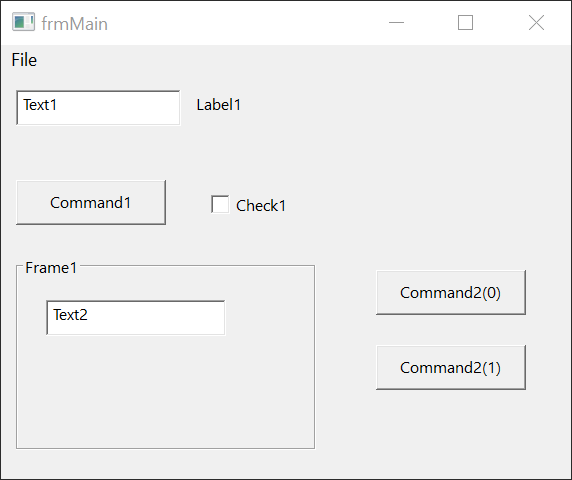
A preview is a debug session. Form_Load runs, a breakpoint in it stops the run, a click on a button runs its Click handler, and closing the window runs Form_Unload and Form_Terminate and writes [DEBUGGER] done. to the DEBUG CONSOLE. Run Or Preview describes what F6 does in each place, and Breakpoints and stepping what you can do while it is stopped.
The preview of a report opens the report window, titled with the project’s name. Designing reports describes it.
Preview is the only way to run one form. Start (F5) and Run → Start do not use the open designer. They run the program from its startup object, which Project Settings names.
RESYNC
The designer keeps its own picture of the form, and gets the controls’ pictures from the compiler. A RESYNC button covers the designer when that picture may be out of date. Pressing it reads the whole form again from the compiler, and keeps the selection.
The button appears in these cases:
- The connection to the compiler closes or fails, for example when the compiler restarts.
- The display scaling of Windows changes. The IDE checks it every 5 seconds.
- The compiler sends a new Toolbox list while the designer’s tab is hidden.
- A build starts, and the form contains a user control that belongs to the project.
In the last case the IDE presses the button itself at once. It also presses the button when you return to a designer tab that was waiting for a refresh. So you rarely see the button: the form you come back to is already up to date. That includes a form that uses a custom control whose class you changed in its code while the form’s tab was open behind it. See Property sheet and object serialization.
In Safe Mode, the button says Can’t resync the form designer in Safe Mode, with the title Form Designer Resync Failed.
Changing the grid or the outlines of the form makes the designer read the live form from the compiler again.
See Also
- Run Or Preview – what F6 does in a procedure, in a form’s code and in a designer
- Designer – the designer window
- Menu editor – the menus that show in a preview