Format Menu
The Format menu holds the commands that line up and order the controls selected in the form designer. Arranging controls explains them.
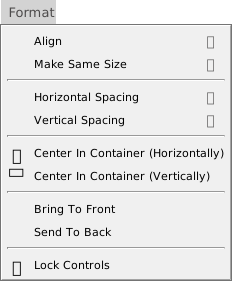
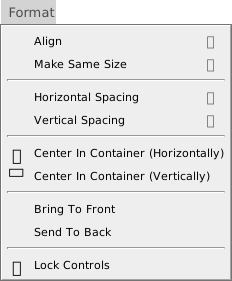
Every command acts on the selection in a form designer, so every command is greyed out until a designer is open with a selection. The commands need different numbers of controls: Align, Make Same Size and the two spacing submenus need two or more, Make Equal three or more, and the other commands one or more. The same commands are in the designer’s right-click menu.
Warning BETA 1010
The spacing commands and Make Same Size can leave the new positions or sizes out of the saved form. Arranging controls says what to do instead.
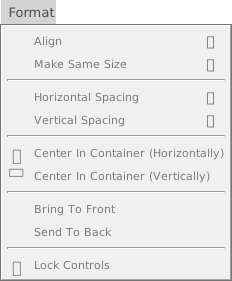
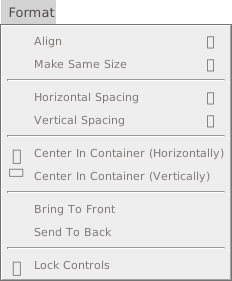
Align
- Left (Alt+Left), Right (Alt+Right), Top (Alt+Up) and Bottom (Alt+Down)
- Move every selected control to the leftmost, rightmost, topmost or lowest edge of the selection. See Align.
- Center (Horizontal) and Center (Vertical)
- Centre each control on the left edge, or the top edge, of the selection. They have no keys. See Align.
- To Grid
- Rounds the position and the size of each selected control down to the grid, whether or not Align Controls To Grid is on. It has no key. The right-click menu has Align to grid, which works for one control.
Make Same Size
- Width (Widest) (Ctrl+Shift+Right), Width (Narrowest) (Ctrl+Shift+Left), Height (Tallest) (Ctrl+Shift+Down) and Height (Shortest) (Ctrl+Shift+Up)
- Give every selected control the width or the height of the widest, narrowest, tallest or shortest one. See Make the controls the same size.
Horizontal Spacing and Vertical Spacing
- Make Equal
- Places the controls between the first and the last so that the gaps are equal. It needs three controls.
- Increase and Decrease
- Widen or narrow every gap by one grid width. The vertical commands use the grid height.
- Remove
- Places each control against the one before it, with no gap.
The eight spacing commands, four on each submenu, have no keys. See Space the controls evenly.
Center In Container
- Center In Container (Horizontally) and Center In Container (Vertically)
- Move the selection as a group to the middle of the container the controls share. They have no keys. See Center in the container.
Order and lock
- Bring To Front and Send To Back
- Move the selected controls to the top or the bottom of the order in which their parent draws them. They have no keys. See Bring to front and send to back.
- Lock Controls
- Locks each selected control that is unlocked, and unlocks each one that is locked. It has no key. See Lock controls.