Run Menu
The Run menu holds the three commands that start, pause and end a run. Running explains them.
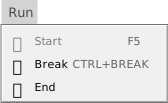
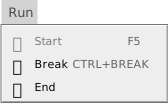
- Start (F5)
- Starts the program when nothing runs, and continues it when it is paused. The toolbar button is titled Start / Continue. It works when a project is open and the program is idle or paused. See Start, Break and End.
- Break (Ctrl+Break)
- Pauses a running program. It works only while the program runs and is not paused. See Break.
- End
- Stops the program, whether it is running or paused. It has no key. At a run-time error it ends only the procedure that failed; see Traps.
The menu has no other items. F6 (Run Or Preview) has no menu item; Run Or Preview describes it. The programs that your program starts with Shell are listed in the status bar, not in this menu.