HotKey class
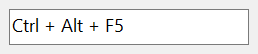
A HotKey is a box in which the user presses a key combination, such as Ctrl+Alt+F5, and which then shows it. A program reads the combination, and can ask Windows to activate a window when the user presses it.
HotKey1.Value(vbCtrlMask Or vbAltMask) = vbKeyF5        ' Ctrl+Alt+F5
Dim Modifiers As Integer
Dim Key As Long
Key = HotKey1.Value(Modifiers)
Debug.Print Key; Modifiers
' Output:
'  116  6
The control wraps the hot key control of Windows (msctls_hotkey32), which VB6 and the Microsoft common controls do not offer. The package draws the text of the box itself, so BackColor and ForeColor apply.
Of the common members, the control has those under Name and place, Window handles, Font and visual styles, Mouse, Keyboard and focus, Dragging the control, OLE drag and drop and Right-to-left, but not RightToLeftLayout.
- The key combination
- Rules for the user’s input
- Making the combination a hot key of Windows
- Properties
- Methods
- Events
- HkeInvalidKeyCombinationConstants
- See Also
The key combination
A combination is a key and the modifier keys held down with it. Value is the key, as a member of KeyCodeConstants, and its optional argument is the modifiers: the sum of vbShiftMask (1), vbCtrlMask (2) and vbAltMask (4) of ShiftConstants, and 8 for an extended key, such as an arrow key. Reading Value with a variable for that argument fills the variable, and assigning it takes the modifiers from the argument.
RawValue holds both in one number, with the key in the low byte and the modifiers in the high byte, as the hot key control of Windows does.
A new control holds no key: Value and RawValue are 0. The combination Shift+B is Value(vbShiftMask) = vbKeyB and RawValue = &H142.
HotKey1.RawValue = &H241                ' Ctrl+A
Dim Modifiers As Integer
Debug.Print HotKey1.Value(Modifiers); Modifiers
HotKey1.Value(vbShiftMask) = vbKeyB
Debug.Print Hex$(HotKey1.RawValue)
' Output:
'  65  2
'  142
Text is the combination as words, such as Ctrl + Alt + F5. Windows makes the names of the keys and the separator, so they depend on the keyboard layout and the language of Windows.

Rules for the user’s input
SetRules says which combinations the user may not make. When the user presses a key with an invalid combination of modifiers, the box gives that key the modifiers of DefaultModifiers instead. The rules apply to the keys the user presses and not to a combination that the program assigns.
InvalidKeyCombinations is one member of HkeInvalidKeyCombinationConstants. A sum of two members, and any other value, raise run-time error 380.
HotKey1.SetRules HkeInvalidKeyCombinationNone, vbCtrlMask   ' a key alone gets Ctrl
HotKey1.RawValue = &H41                                     ' an assignment is kept as it is
Debug.Print Hex$(HotKey1.RawValue)
' Output:
'  41
Making the combination a hot key of Windows
SetApplicationHotKey gives a window the combination the box holds. While the program runs, Windows then activates that window when the user presses the combination, whichever program has the focus.
Dim Result As Long
Result = HotKey1.SetApplicationHotKey       ' the window the control is in
Properties
BackColor
The color behind the text. OLE_COLOR. Default: vbWindowBackground. A BorderStyle of CCBorderStyleSunken drawn with visual styles is filled with it too.
BorderStyle
The border of the box. A member of CCBorderStyleConstants. Default: CCBorderStyleSunken.
Another value raises run-time error 380.
ForeColor
The color of the text. OLE_COLOR. Default: vbWindowText. A disabled control draws its text in vbGrayText.
RawValue
The key combination as one number: the key in the low byte, the modifiers in the high byte. Long. Default: 0. See The key combination.
Text
The combination as words, as the box shows it. String, read-only. It depends on the keyboard layout and the language of Windows. A box with no key gives the word that Windows uses for it.
Value
The key of the combination, a member of KeyCodeConstants. Default: 0, which is no key. It is the control’s default property.
Syntax: object.Value [ ( Modifiers ) ]
- Modifiers
- optional An Integer. Reading Value puts the modifiers of the combination in it: the sum of vbShiftMask, vbCtrlMask and vbAltMask, and 8 for an extended key. Assigning Value takes the modifiers from it.
Methods
SetApplicationHotKey
Gives a window the key combination of the box as its hot key. When the user presses the combination, Windows activates that window.
Syntax: object.SetApplicationHotKey [ ( hWnd ) ]
- hWnd
- optional A LongPtr: the handle of the window. The default is the top-level window that holds the control. A child window cannot be given a hot key.
The method returns a Long, the answer of Windows: 1 when the combination is now the hot key of the window, 2 when it is, and another window had the same one, 0 when the combination is not valid as a hot key, and -1 when the window is not valid for one.
SetRules
Says which key combinations the user may not make, and what a key with such a combination gets instead. See Rules for the user’s input.
Syntax: object.SetRules InvalidKeyCombinations [ , DefaultModifiers ]
- InvalidKeyCombinations
- required A member of HkeInvalidKeyCombinationConstants.
- DefaultModifiers
- optional The modifiers a key with an invalid combination gets: the sum of the ShiftConstants members vbShiftMask, vbCtrlMask and vbAltMask. The default is 0.
Events
Change
Raised when the user has changed the key combination with the keyboard. An assignment to Value or RawValue raises nothing.
Syntax: object_Change( )
MouseDown, MouseMove, MouseUp
As the common events of these names; X and Y are in twips, whatever the scale units of the control’s container, measured from the top left corner of the control.
HkeInvalidKeyCombinationConstants
The values of InvalidKeyCombinations of SetRules: the combination of modifier keys that is invalid.
| Member | Value | Description |
|---|---|---|
| HkeInvalidKeyCombinationNone | 1 | A key with no modifier key. |
| HkeInvalidKeyCombinationShift | 2 | Shift and a key. |
| HkeInvalidKeyCombinationCtrl | 4 | Ctrl and a key. |
| HkeInvalidKeyCombinationAlt | 8 | Alt and a key. |
| HkeInvalidKeyCombinationShiftCtrl | 16 | Shift, Ctrl and a key. |
| HkeInvalidKeyCombinationShiftAlt | 32 | Shift, Alt and a key. |
| HkeInvalidKeyCombinationCtrlAlt | 64 | Ctrl, Alt and a key. |
| HkeInvalidKeyCombinationShiftCtrlAlt | 128 | Shift, Ctrl, Alt and a key. |
See Also
- Common members – the members this control shares with the package’s other controls
- KeyCodeConstants – the key codes of Value