Editor

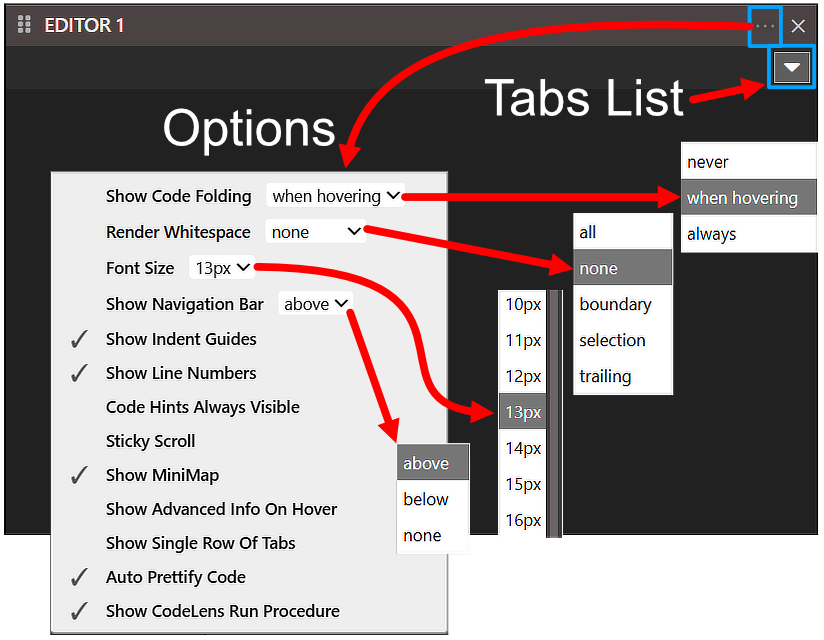
The Editor pane with its two header buttons outlined and annotated Options and Tabs List. The Options menu is open with all four of its dropdowns expanded at once: Show Code Folding set to when hovering, Render Whitespace to none, Font Size to 13px and Show Navigation Bar to above. Below them sit the toggles, of which Show Indent Guides, Show Line Numbers, Show MiniMap, Auto Prettify Code and Show CodeLens Run Procedure are ticked.

Options

  • Show Code Folding
    • never
    • when hovering
    • always
  • Render Whitespace
    • all
    • none
    • boundary
    • selection
    • trailing
  • Font Size
    • 8px
    • …
    • 13px
    • …
    • 30px
  • Show Navigation Bar
    • above
    • below
    • none
  • ✓ Show Indent Guides
  • ✓ Show Line Numbers
  • Code Hints Always Visible
  • Sticky Scroll
  • ✓ Show MiniMap
  • Show Advanced Info On Hover
  • Show Single Row Of Tabs
  • ✓ Auto Prettify Code
  • ✓ Show CodeLens Run Procedure

Tabs List

When a file is open in the Editor it will be listed in the Tabs List and you can jump between them here.
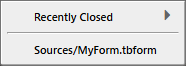
The open Tabs List menu, holding a Recently Closed submenu entry above a separator and one open file beneath it, Sources/MyForm.tbform.

Recently Closed.

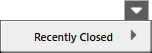
The Tabs List button with its menu open directly beneath it, holding a single entry, Recently Closed, with a submenu arrow and no files listed under it.

Recently Closed - List

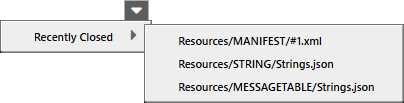
The Recently Closed entry highlighted with its submenu expanded to the right, listing three closed files: Resources/MANIFEST/#1.xml, Resources/STRING/Strings.json and Resources/MESSAGETABLE/Strings.json.