Format Menu

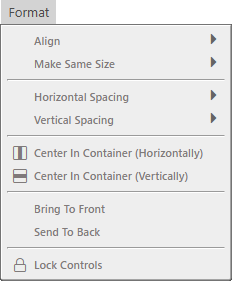
The Format menu open with every one of its commands greyed out: Align and Make Same Size, Horizontal Spacing and Vertical Spacing, the two Center In Container commands, Bring To Front and Send To Back, and Lock Controls. The first four carry submenu arrows.

Every command on this menu acts on the controls selected in the form designer, so the whole menu is unavailable until a designer is open with a selection. The screenshot above shows that state; the one below shows the same menu with the commands available.
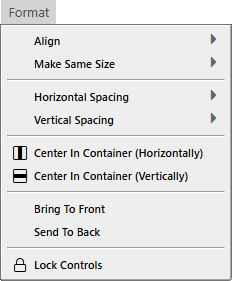
The same Format menu with two controls selected in the form designer: all of its commands are available rather than greyed out.

  • Align
  • Make Same Size

  • Horizontal Spacing
  • Vertical Spacing

  • Center In Container (Horizontally)
  • Center In Container (Vertically)

  • Bring To Front
  • Send To Back

  • Lock Controls

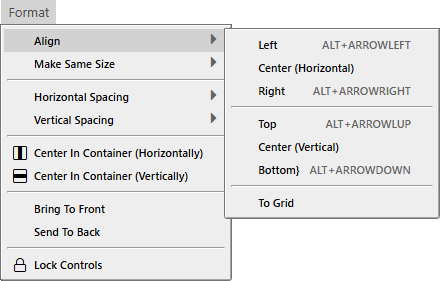
The Format menu with Align highlighted and its submenu open to the right. Left, Center (Horizontal) and Right sit above Top, Center (Vertical) and Bottom, with To Grid on its own below; the four edge commands carry ALT plus arrow-key shortcuts. All are available.

  • Left ALT + ARROWLEFT
  • Center (Horizontal)
  • Right ALT + ARROWRIGHT

  • Top ALT + ARROWUP
  • Center (Vertical)
  • Bottom ALT + ARROWDOWN

  • To Grid

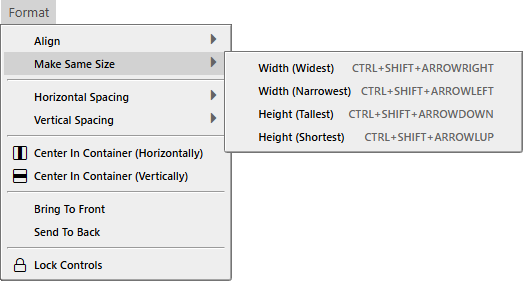
The Format menu with Make Same Size highlighted and its submenu open to the right, offering Width (Widest), Width (Narrowest), Height (Tallest) and Height (Shortest), each with a CTRL plus SHIFT plus arrow-key shortcut.

  • Width (Widest) CTRL + SHIFT + ARROWRIGHT
  • Width (Narrowest) CTRL + SHIFT + ARROWLEFT
  • Height (Tallest) CTRL + SHIFT + ARROWDOWN
  • Height (Shortest) CTRL + SHIFT + ARROWUP
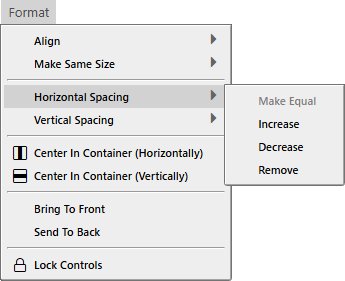
The Format menu with Horizontal Spacing highlighted and its submenu open to the right. Make Equal is greyed out; Increase, Decrease and Remove are available.

  • Make Equal
  • Increase
  • Decrease
  • Remove

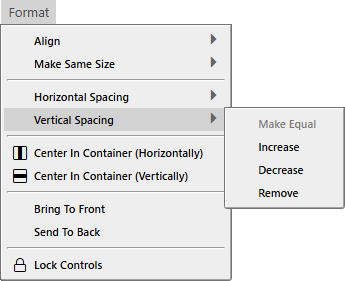
The Format menu with Vertical Spacing highlighted and its submenu open to the right. Make Equal is greyed out; Increase, Decrease and Remove are available.

  • Make Equal
  • Increase
  • Decrease
  • Remove