Creating a TWINPACK package
To create a new TWINPACK package, navigate to the twinBASIC New Project dialog, and under the ‘Samples’ tab, choose the option labelled ‘Package’:


Once you’ve created the project, you should find the extra ‘PACKAGE PUBLISHING’ panel as a popup:
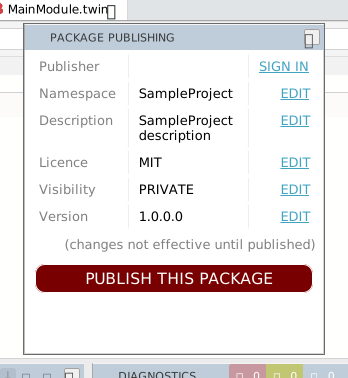
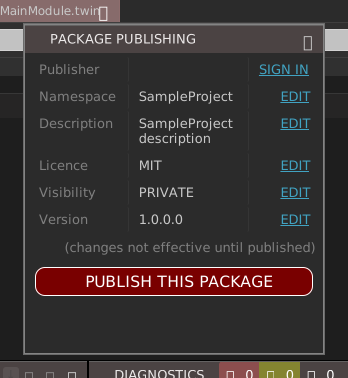
You should now edit the Namespace, Description, Licence, Visibility and Version properties appropriately by using the package manager ‘EDIT’ links, which open Project Settings at the individual setting. Once you’ve edited a value, press Apply Changes in order for your change to be reflected in the package manager panel. Package Publishing describes the panel.
- Namespace: this is the symbol that will be used to group your components in projects that reference your package. For example, a package that provides a series of different dialog classes might use the namespace
Dialogs. - Description: this is the descriptive text that will appear in the
Settings->Referenceslist. If you plan to share this package, think carefully about the description so that others can discover your package through TWINSERV. - Licence: this short text appears in the
Settings->Referenceslist, alongside the Description. If you plan to share this package, it is important that you enter this field, and the value you enter here should appropriately match the content of the LICENCE.md file (e.g. ‘MIT’, ‘LGPL’ etc). - Visibility: determines whether the package is visible to only you (PRIVATE) or everyone (PUBLIC). The value set here only takes effect when you use the ‘PUBLISH THIS PACKAGE’ button to publish your package in the package manager service, TWINSERV.
- Version: the package’s version number, in four parts: the (VERSION) Major, (VERSION) Minor, (VERSION) Build and (VERSION) Revision settings. A build copies them unchanged into the TWINPACK file, and a project that references the package shows them in the Version column of its Library References list. TWINSERV refuses to publish a version it already has: the IDE then reports Package already uploaded with this exact version number. For a package from a TWINPACK file the IDE does not compare versions at all. It accepts a lower version as well as a higher one, and it refuses to import a package that the project already contains, whatever the version. So raising the Version does not update the projects that use the package; see Updating a package you built yourself.
If you don’t plan to publish your package on TWINSERV, then you don’t need to fill in the Licence or Visibility fields.
You can now create components (Class, Module, Interface) in your project as normal, and when you are finished, it’s time to finalize the package. You have two options;
OPTION 1 - Finalize the package into a TWINPACK file
Use this option if you want to just create a local TWINPACK file that you can use in other projects. For this, the build process is the same as any ordinary twinBASIC build… just hit the Build button in the TWINBASIC toolbar:
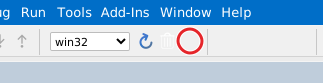
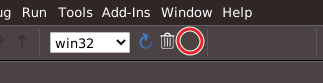
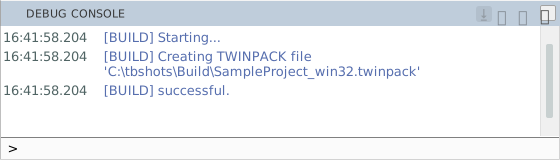
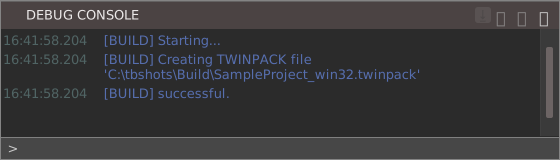
You’ll see the build output notification in the DEBUG CONSOLE, as seen above.
Job done. See Importing a package from a TWINPACK file for referencing and using the TWINPACK file in other twinBASIC projects. To get a later build of the package into projects that already use it, see Updating a package you built yourself.
OPTION 2 - Publish the package directly to the package manager service (TWINSERV)
If you’re publishing your package onto TWINSERV, you don’t need to create the TWINPACK file manually. Just use the ‘PUBLISH THIS PACKAGE’ button:
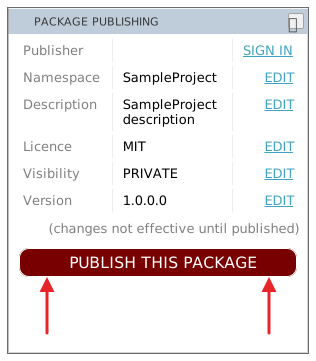
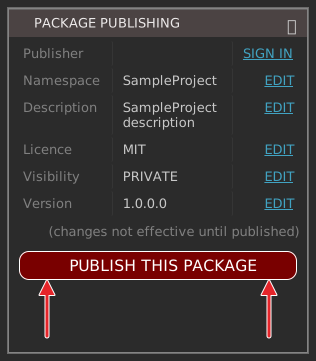
Publishing packages onto TWINSERV requires you to first create a publisher account. If you haven’t done so, you’ll be prompted to do so at this stage.
You will then be prompted to confirm the package details, in a box that lists the publisher, package namespace, description, version and licence, and asks whether to proceed. After pressing Continue, the package will be uploaded to TWINSERV. The DEBUG CONSOLE shows that the upload has started, and a box with OK shows the result. Package Publishing shows the box and lists the results.
If the package got uploaded successfully, it should be available via TWINSERV within a few moments. If you’ve created a PUBLIC package, others will be able to see and download it at this point.
See Importing a package from TWINSERV for referencing and using the uploaded packages.
Special files LICENCE.md and CHANGELOG.md
When you create a new package project, you’ll see two additional files created for you in the project filesystem:
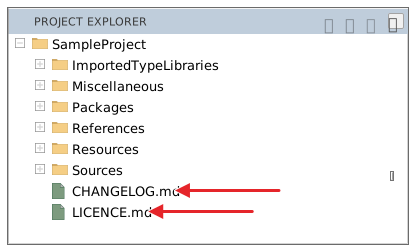
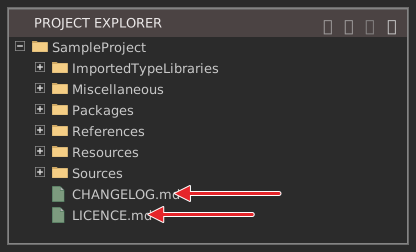
If you’re publishing a PUBLIC package to the package manager service, it is important that you edit these two files before publishing. These are both markdown files, and will in future become more accessible to users that are considering using your package from TWINSERV.